How to Set Up Retargeting Ads on Facebook for Maximum ROI
In the fast-paced world of digital marketing, retargeting ads have emerged as a powerful tool for businesses looking to maximize their return on investment (ROI). With Facebook’s extensive user base and sophisticated targeting options, it’s an ideal platform for implementing retargeting strategies. This blog post will guide you through the process of setting up retargeting ads on Facebook to ensure you achieve maximum ROI.

Understanding the Power of Retargeting Ads
Retargeting ads are a form of online advertising that targets users who have previously interacted with your website or social media pages. According to a study by AdRoll, retargeting can increase ad engagement by up to 400% compared to standard display ads. The beauty of retargeting lies in its ability to reconnect with users who have shown interest in your products or services, thus increasing the likelihood of conversion.
Why Facebook for Retargeting Ads?
Facebook boasts over 2.8 billion monthly active users, making it an ideal platform for reaching a wide audience. Additionally, Facebook’s advanced targeting options allow you to tailor your ads to specific demographics, interests, and behaviors. By using Facebook for retargeting ads, you can leverage its vast data resources to refine your ad campaigns and ensure they reach the most relevant audience.
Step 1: Set Up Facebook Pixel
In the digital marketing world, mastering the art of retargeting can significantly boost your brand’s online presence and engagement. One of the most powerful tools in your arsenal is the Facebook Pixel. But what exactly is it, and how do you set it up to maximize its potential?
Understanding the Facebook Pixel
At its core, the Facebook Pixel is a snippet of code that you integrate into your website. This clever piece of technology acts like a silent observer, tracking user interactions and behaviors. Whether someone is browsing through your product pages, adding items to their cart, or completing a purchase, the pixel records these actions. This data is invaluable as it allows you to create finely-tuned custom audiences for your retargeting efforts.

Why You Need the Facebook Pixel
Imagine being able to remind potential customers about the products they showed interest in but didn’t purchase. The pixel makes this possible by enabling you to serve tailored ads to users who have already visited your site. This kind of personalized marketing not only increases the likelihood of conversion but also enhances user experience by showing them relevant content.
Actionable Tip: Ensure Comprehensive Coverage
To make the most out of your Facebook Pixel, it’s crucial to ensure it’s correctly installed across every page of your website. This comprehensive coverage allows you to track a wide range of user actions, from simple page views to more complex interactions like form submissions or downloads. Here’s a simple way to ensure it’s done right:
Test Events: Facebook allows you to test specific events like purchases or sign-ups to ensure the pixel is picking up these actions. Utilize the ‘Test Events’ feature in your Ads Manager to confirm everything is working smoothly.
Install the Pixel Code: Once you create your pixel in Facebook Ads Manager, you’ll receive a unique piece of code. Insert this into the header of every page on your site. This can typically be done through your website’s CMS or by having your developer handle it.
Use Facebook Pixel Helper: This is a handy Chrome extension that helps you verify the pixel’s functionality. It will alert you to any errors or issues, ensuring your data collection is as accurate as possible.
Step 2: Create Custom Audiences
Once you’ve successfully set up your Facebook Pixel—a small yet mighty tool that tracks user interactions on your website—it’s time to dive into the next pivotal step of your advertising journey: creating custom audiences. This is where the magic happens, allowing you to reach out to those who have already shown interest in your brand, giving your ad campaigns a strategic edge.
Why Custom Audiences Matter
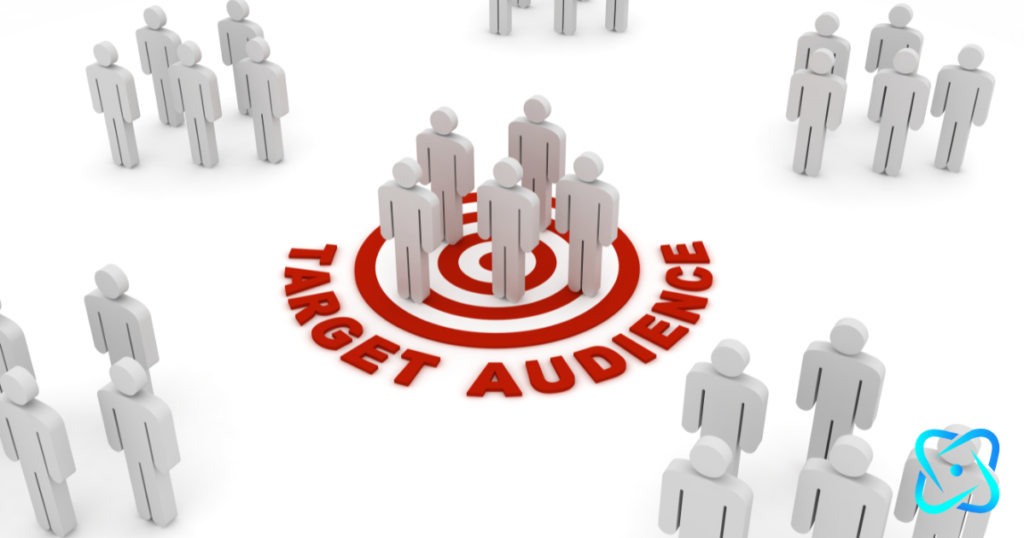
Custom audiences are essentially groups of users who have previously visited your website or engaged with your content in some way. By targeting these individuals, you’re not shooting in the dark; rather, you’re reaching out to those who have already expressed interest, thereby increasing the likelihood of conversions. According to WordStream, ads that target custom audiences can boost conversion rates by as much as 10% compared to standard ads. That’s a significant leap in turning potential leads into loyal customers.
How to Create Custom Audiences in Facebook Ads Manager
Navigating through Facebook Ads Manager to create these audiences is straightforward. Begin by heading over to the “Audiences” section. Here, you’ll find the option to “Create Audience.” Selecting this will give you a variety of choices to segment your audience based on different criteria.
Segmentation Strategies
- Pages Visited: You can create an audience of users who visited specific pages on your site. For instance, if you run an e-commerce store, you might want to target individuals who visited the product pages but didn’t complete a purchase. This tactic helps in nudging them towards making that final buying decision.
- Time Spent on Site: This criterion allows you to target users based on how long they stayed on your website. Those who spent more time are likely more interested in what you offer, making them prime candidates for retargeting ads.
- Past Purchase Behavior: Another effective segmentation is targeting based on previous buying actions. By focusing on customers who have made purchases in the past, you can encourage repeat business and build a loyal customer base.
Step 3: Design Compelling Ad Creatives
Creating effective retargeting ads is all about grabbing your audience’s attention and compelling them to act. At this stage, your ad creatives need to stand out in a crowded digital landscape. You’re not just reaching out to random users; these are individuals who have already shown interest in your brand. So, how do you keep them engaged and encourage them to complete their purchase? Let’s dive into some key strategies.
Test and Optimize Your Creatives
Finally, remember that the digital landscape is constantly evolving, and what works today might not work tomorrow. Regularly test different versions of your ad creatives to see which performs best. Use analytics to track engagement rates and conversions, and be ready to tweak your approach based on these insights.

Use High-Quality Images and Videos
First impressions matter, and in the world of digital advertising, visuals are your first handshake. Ensure your ads are equipped with high-resolution images and engaging videos. The goal is to create content that not only attracts but also holds the viewer’s attention. Think of vibrant product shots, lifestyle images that depict your product in use, or dynamic videos that tell your brand story in an engaging way.
Craft Persuasive Ad Copy
Once you’ve caught their eye with stunning visuals, seal the deal with persuasive ad copy. This means writing text that speaks directly to the needs and desires of your audience. Since these users are already familiar with your brand, focus on highlighting what’s new or exciting – perhaps a limited-time offer, a special discount, or a product that complements what they previously viewed. Make sure your copy is clear, concise, and includes a strong call to action.
Leverage Personalization
Personalization can significantly increase the effectiveness of your retargeting ads. Use data from previous interactions to tailor your ads. For example, if a user browsed your online store and showed interest in a specific product but didn’t make a purchase, show them an ad featuring that exact product with an exclusive discount. This not only reminds them of their interest but also provides an incentive to buy.
Highlight New and Exclusive Offers
To reignite interest, spotlight any new arrivals, exclusive deals, or upcoming sales. This approach works well to catch the attention of users who might be on the fence about making a purchase. By showcasing something fresh or limited, you create a sense of urgency and intrigue.
Step 4: Set Ad Placement and Budget

Facebook offers various ad placement options designed to cater to different user experiences and campaign objectives. Here’s a breakdown of some of the key placements you can experiment with:
- Feeds: This is the classic placement where your ads appear in the main newsfeed of users, both on desktop and mobile. It’s a great spot for eye-catching images and engaging copy since it’s one of the most frequently visited parts of Facebook.
- Stories: As a more immersive and full-screen experience, Stories allow you to get creative with vertical videos and images. This placement can be particularly effective for capturing attention quickly and delivering concise messages.
- Audience Network: This option extends your ad reach beyond Facebook itself, placing your ads on a network of third-party apps and websites. It’s a fantastic way to broaden your audience and increase visibility across different platforms.
Actionable Tip: Start with a smaller budget to test different ad creatives and placements. As you identify successful strategies, gradually increase your ad spend for greater impact.
Step 5: Monitor and Optimize Campaign Performance
Once your retargeting ads are live, it’s crucial to monitor their performance closely. Using tools like Facebook Ads Manager, you can track a variety of key metrics that provide insight into how well your ads are doing. Focus on:
Cost Per Conversion: This metric is crucial for understanding the financial efficiency of your campaign. It helps determine whether the cost of acquiring a customer through the ad is sustainable and profitable.
Click-Through Rates (CTR): This metric tells you how compelling your ad is in terms of driving audience engagement. A higher CTR generally indicates that your ad is resonating well with your target audience.
Conversion Rates: This shows how effectively your ads are turning viewers into customers. Monitoring conversion rates helps understand the effectiveness of your ad in terms of generating desired actions, such as purchases or sign-ups.

According to HubSpot, businesses that make it a habit to optimize their ad campaigns see an average 30% increase in ROI. This statistic underscores the importance of not just setting and forgetting your ads. By staying engaged with the performance data and regularly optimizing your campaigns, you can significantly enhance your return on investment.
Conclusion: Maximize Your ROI with Facebook Retargeting Ads
Retargeting ads on Facebook provide a highly effective way to reconnect with potential customers and drive conversions. By setting up Facebook Pixel, creating custom audiences, designing compelling ad creatives, and continuously optimizing your campaigns, you can achieve maximum ROI from your retargeting efforts.
Implement these strategies, and you’ll be well on your way to boosting your business’s online presence and sales through Facebook retargeting ads. As digital marketing evolves, staying ahead of the curve with advanced techniques like retargeting will ensure your brand’s success in the competitive online landscape.