Use Google Analytics to Track and Improve Website Traffic
In today’s digital age, understanding your website’s performance is crucial for success. Google Analytics offers a powerful solution for tracking and improving website traffic. Whether you’re a business owner, a marketer, or a content creator, leveraging Google Analytics can provide invaluable insights to enhance your online presence. In this blog post, we’ll explore how to use Google Analytics effectively to track and optimize your website traffic.

Understanding the Basics of Google Analytics
Google Analytics is a free web analytics service that provides statistics and basic analytical tools for search engine optimization (SEO) and marketing purposes. It allows you to track and report website traffic, offering insights into user behavior, demographics, and more. As of 2023, over 29 million websites use Google Analytics, showcasing its widespread adoption and utility.
Setting Up Google Analytics
To start tracking your website’s performance, you first need to set up Google Analytics. Follow these steps:
- Create a Google Analytics account and sign in.
- Set up a property in your Analytics account. This involves entering your website’s URL and other relevant details.
- Install the tracking code on your website. This is a snippet of JavaScript code that you’ll need to add to your site’s HTML.
Once the setup is complete, Google Analytics will begin collecting data, allowing you to access detailed reports and insights.
Key Metrics to Track in Google Analytics
To make the most of Google Analytics, focus on key metrics that can provide actionable insights. Here are some essential metrics to track:
Sessions and Users
Sessions refer to the total number of visits to your website, while users indicate the number of unique visitors. Monitoring these metrics helps you understand your website’s reach and audience size. For example, if your site has 10,000 sessions but only 2,000 users, it suggests that visitors are returning multiple times, which could indicate engaging content.
Bounce Rate
Bounce rate measures the percentage of visitors who leave your site after viewing only one page. A high bounce rate can signal that your website’s landing pages need improvement. Aim for a bounce rate of 50% or lower to ensure that users are engaging with your content.
Average Session Duration
This metric indicates how long visitors spend on your site during a single session. A higher average session duration suggests that users are finding your content valuable. Consider enhancing your content and site navigation to encourage longer visits.
Traffic Sources
Understanding where your traffic comes from is crucial for targeting your marketing efforts. Google Analytics categorizes traffic into sources such as organic search, paid search, direct, referral, and social. Identifying the most effective channels can help you allocate resources and optimize your strategies.

Using Google Analytics to Improve Website Traffic
Once you’re familiar with the key metrics, it’s time to leverage Google Analytics to boost your website traffic. Here are some actionable tips:
Optimize Your Content Strategy
Understanding your audience is crucial for driving engagement and achieving your business goals. One effective way to do this is by analyzing which pages on your website receive the most traffic and have the lowest bounce rates. These metrics provide valuable insights into what content resonates most with your audience, allowing you to create more of what they love. Let’s dive deeper into how you can leverage these insights for better content strategy.
Discovering Popular Content: The Key to Audience Engagement
When you analyze your website data, pay close attention to the pages that attract the most visitors. High traffic pages indicate that your audience finds these topics relevant and valuable. But traffic alone doesn’t paint the whole picture. It’s equally important to consider the bounce rate—a metric that shows the percentage of visitors who leave your site after viewing just one page. Pages with low bounce rates are particularly valuable because they suggest that users are engaging with your content and exploring further.
Creating More of What Works
Once you’ve identified your top-performing pages, the next step is to create more content in a similar vein. This doesn’t mean duplicating content, but rather expanding on the topics or themes that are clearly resonating with your audience. Consider exploring different angles, updating information, or providing in-depth guides that delve deeper into the subject matter. This approach not only reinforces your authority on the topic but also keeps your audience coming back for more.
Optimizing User Paths with the Behavior Flow Report
Google Analytics offers a powerful tool called the Behavior Flow report, which helps you visualize the paths users take through your website. By understanding how users navigate your site, you can optimize content placement and ensure that visitors find what they’re looking for more easily. Are there common pathways that lead to conversions? Are there any dead ends or areas where users frequently drop off? Use this data to refine your content strategy and guide users toward the information they seek, ultimately improving their overall experience on your site.
Enhance User Experience

Speed is everything. Users expect web pages to load in the blink of an eye, and if your site doesn’t deliver, you risk losing visitors and potential customers. Not only does a slow website frustrate users, but it can also negatively impact your search engine rankings. That’s why it’s crucial to regularly utilize the Site Speed report to pinpoint any pages that are lagging behind. Here’s how you can optimize your site for speed and give your users a seamless experience.
Why Site Speed Matters
Before diving into solutions, let’s understand why site speed is so crucial. A fast-loading website enhances user experience, reduces bounce rates, and increases the time users spend on your site. Furthermore, search engines like Google consider site speed as a ranking factor. Faster sites are more likely to rank higher, improving your visibility and attracting more organic traffic.
How to Use the Site Speed Report
The Site Speed report is a powerful tool that helps you identify which pages on your site are loading slowly. You can typically find this report in analytics platforms like Google Analytics. By analyzing this report, you can see detailed metrics about your page load times, including which specific pages need attention. This insight allows you to prioritize your optimization efforts effectively.
Key Strategies to Improve Site Speed
Once you’ve identified the slow-loading pages, it’s time to take action. Here are some effective strategies to enhance your site’s speed:
1. Implement Caching:
Caching stores copies of your site’s files, reducing the server’s workload and speeding up load times for returning visitors. By implementing browser caching, you can ensure that repeated requests for the same content are faster, as the browser retrieves files from the cache rather than the server.
2. Optimize Images:
Large image files are often the culprits behind slow-loading pages. By compressing images and using appropriate formats, you can significantly reduce their size without sacrificing quality. Tools like TinyPNG or ImageOptim can help you compress images efficiently.
3. Consider a Content Delivery Network (CDN):
A CDN distributes your site’s static files across multiple servers worldwide, reducing the distance data must travel to reach users. This means faster load times, especially for visitors who are geographically distant from your server’s location. Popular CDN providers like Cloudflare or Amazon CloudFront can help you implement this technology seamlessly.
Leverage SEO Insights
Understanding where your website traffic comes from is crucial for optimizing your SEO strategy. One of the most effective ways to do this is by leveraging the power of the Acquisition report and Search Console integration. Let’s dive into how these tools can help you boost your organic search traffic and refine your content strategy.
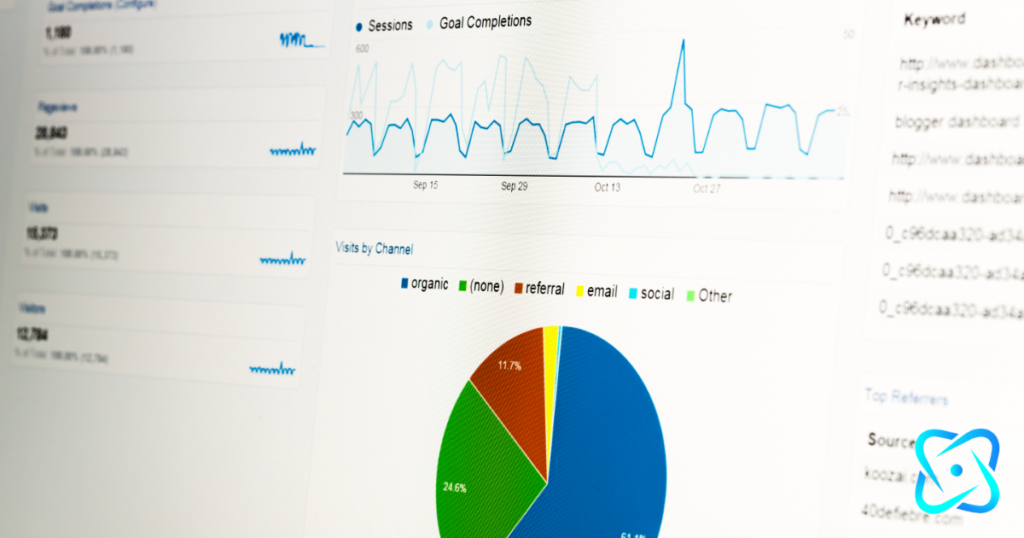
Understanding Your Traffic with the Acquisition Report
The Acquisition report is an invaluable tool for any SEO enthusiast. It provides detailed insights into the sources of your website traffic, allowing you to track the effectiveness of your marketing efforts. Here’s how you can make the most of it:
- Identify High-Performing Keywords: Start by analyzing the organic search section of the Acquisition report. This section will reveal which keywords are driving the most traffic to your site. Pay close attention to these keywords, as they are the key players in attracting your audience.
- Optimize Content Around Top Keywords: Once you’ve identified the top-performing keywords, it’s time to optimize your content. Ensure that these keywords are strategically incorporated throughout your web pages, including in titles, headers, and meta descriptions. This will help improve your site’s visibility and attract even more organic traffic.
- Monitor Changes and Trends: Regularly review the Acquisition report to monitor changes and trends in your organic search traffic. This will help you stay on top of shifts in user behavior and adjust your strategy accordingly.
Enhancing SEO with Search Console Insights
To further refine your SEO strategy, integrating Google Search Console with your reporting tools can provide deeper insights into search queries and click-through rates. Here’s how to leverage it:
Identify and Fix SEO Issues: Search Console also highlights any technical SEO issues that might be affecting your site’s performance. From broken links to mobile usability problems, addressing these issues can significantly enhance your site’s SEO health.
Explore Search Queries: With Search Console, you can see the exact queries users are typing into search engines to find your site. This allows you to understand user intent and tailor your content to better meet their needs.
Analyze Click-Through Rates (CTR): Pay attention to the CTR for different search queries. A low CTR might indicate that your meta descriptions or titles aren’t compelling enough, prompting you to make necessary adjustments to improve these elements.
Track and Test Marketing Campaigns
Understanding the effectiveness of your campaigns is crucial to achieving success. Google Analytics offers powerful tools to help you do just that. By setting up Goals and Conversions, you can measure how well your campaigns are performing against your business objectives. These features allow you to track specific actions, like form submissions or product purchases, giving you a clear picture of what drives your audience.
Utilizing UTM Parameters for Precise Tracking
To delve deeper into the specifics of your marketing efforts, employing UTM parameters is essential. These small snippets of code attached to your URLs can track the source, medium, and campaign name of your traffic. This means you can pinpoint exactly which email, social media post, or advertisement led a user to your site. For example, if you’re running a multi-channel campaign, UTM parameters will help you identify which channel or message is most effective, allowing you to allocate your resources more efficiently.
Refining Campaigns with A/B Testing
Once you have a good understanding of your campaign’s performance, it’s time to optimize. Google Optimize offers a robust platform for A/B testing, enabling you to compare different versions of your web pages or ads to see which one performs better. This iterative process allows you to test headlines, images, call-to-action buttons, and more, ensuring that you’re always putting your best foot forward. By continuously refining your campaigns through A/B testing, you can enhance user experience and ultimately drive better results.

Making Data-Driven Decisions
With Google Analytics, you can make informed, data-driven decisions to enhance your website’s performance. Regularly review your analytics reports, identify trends, and adjust your strategies accordingly. Consider setting up custom dashboards to monitor critical metrics at a glance.
Conclusion
Google Analytics is an indispensable tool for anyone looking to track and improve website traffic. By understanding key metrics, optimizing your content strategy, enhancing user experience, and leveraging SEO insights, you can make data-driven decisions that lead to increased traffic and engagement. Start using Google Analytics today to unlock the full potential of your website and achieve your online goals. Remember, the journey to better website performance begins with the right insights, and Google Analytics is your gateway to achieving that success.